Installing the Office 365 Applications
- Visit https://portal.office.com/ in your Web Browser of Choice (Google Chrome, Safari, Firefox etc)
- Log in using your Microsoft 365 account details
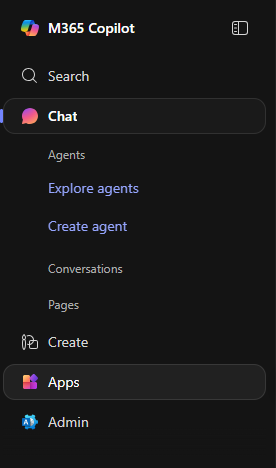
- Click "Apps" in the menu on the left hand side

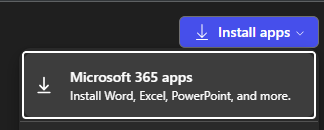
- Click the "Install Apps" button in the top right

- Select "Microsoft 365 Apps" from the list that appears

- After the apps are installed, open one of them. You will then be prompted to sign in with your account details to Activate Office