
How to reset the application password for a user? (Used for GoInt & Webex)
The below instructions will guide you on updating the application password for a user. This is the password which is used for applications like Webex or Go Integrator.
As a company admin:
- Sign in to the Business Portal
- When logged in click users from the top menu
- Next, click on the username of the user you would like to reset the password for
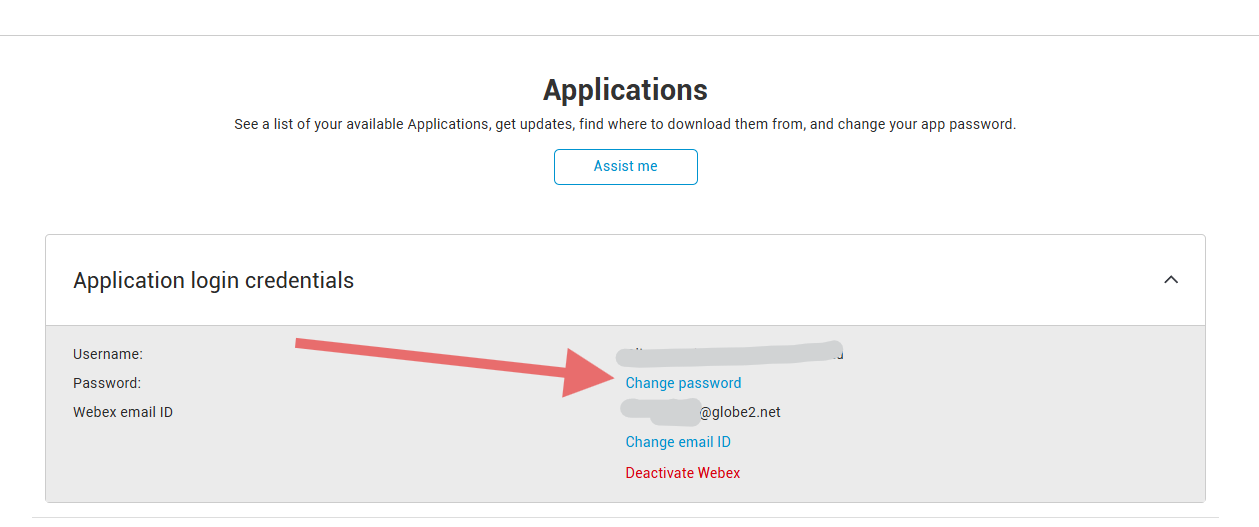
- Then, from the left-hand menu select applications and click change password as shown in the screenshot below.
- You will then be directed to a screen where you can set the password yourself.
As an end user:
- Sign in to the Business Portal
- From the left-hand menu, select applications
- Then click change password as shown in the below image.
- You will then be directed to a screen where you can set the password yourself.